





Start With One Task Users Already Do
"Add AI" is too broad to guide a build. Look for a task that users repeat or find time-consuming. A customer support app might suggest draft replies. A reporting tool might summarize a long dashboard. A document platform might help users find answers within uploaded files.
Choose one task and define what a good result looks like. Should the feature save time, help users find information, or reduce manual sorting? Decide what the user will see and what they can edit before any development begins.
This also gives you a way to judge whether the feature works. A summary that sounds polished but misses a critical detail is not useful. Test it against real examples of the task, including difficult ones.
Connect the Existing App to a Model
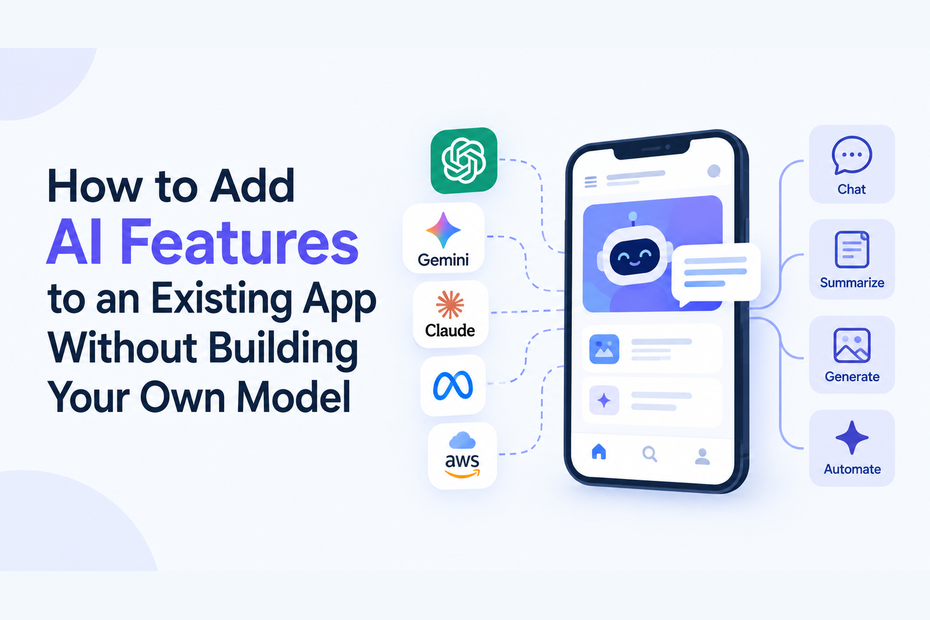
You can integrate AI into existing application workflows by sending a request from the app's backend to a model API. The app supplies the user's request and any permitted context. The model returns an output, which the app displays or uses in a defined step.
Keep the API key on the server rather than in a browser or mobile app. Decide what information needs to be sent with each request; a model cannot reliably answer a question about a customer's account unless your app provides the relevant information. At the same time, avoid sending data the feature does not need.
For a first version, the connection can be simple: the user clicks "Summarize," your backend sends the selected text and instructions to the model, and the app shows a draft summary. The user can then check it against the original.
Pick a Model for the Feature
Model choice depends on the task. A short classification or simple draft may need a different balance of speed, cost, and capability from a complex document analysis. Test several models with the same sample requests before settling on one.
If you are exploring GPT-6 API integration, start with the actual feature you plan to ship. Run representative inputs through the model, inspect the outputs, and measure how long users wait. AnyAPI lists GPT-6 Astra among the models available through its unified API, which gives teams a way to test it alongside other options.
If you compare providers, you can look into how the Claude Sonnet 5 API integration works. First, scan the model list and read the API docs for the service you plan to use. Do not assume the same tools or limits exist everywhere. What is offered can change by provider, so plan only after you confirm what is supported.
A gateway for models, like AnyAPI, can make side by side checks simpler. With one setup, the app can reach more than one model. This helps when you test and see that one model writes good summaries, but a different one works better for another kind of job. Still, you should test every feature on its own.
Give the Model Clear Boundaries
A good prompt explains the task, the expected format, and the information the model is allowed to use. For example, a support reply feature could ask for a concise draft based only on the supplied customer message and approved help content. It should tell the model to say when the information is insufficient.
Think about the screen around the output, too. Label generated text as a draft where appropriate. Let people edit it before sending or publishing it. If the AI answers questions from documents, give users a way to inspect the source material. These choices make it easier to catch errors without interrupting the whole workflow.
Test Beyond the Happy Path
Before you ship, do some quick checks with odd inputs. Try leaving fields empty. Also test very long documents and requests that fall outside what the feature is meant to handle. Then see what happens if the request times out or if the model goes offline for a short time. Look for a plain error notice or a smooth return to the usual manual steps. An unclear empty output can be more harmful than a clear failure.
Keep an eye on how fast responses are, how much is used, and what it costs after the feature goes live. Put caps in place so a sudden spike in requests does not turn into an unexpected bill. Also, set up routing and fallback so the model can fail in a safer way. Even with that, you still need a clear plan for what users will see when the AI cannot finish the job.
Pick a few users first. Watch what they do with the output. See where they say yes, make changes, or stop using it. Their choices will show you more than a polished demo. Fix the instructions and the UI next. Only then add a new AI feature.
Build on What Your App Already Does Well
You do not need to train a model to offer a helpful AI experience. You need a specific user problem, a suitable existing model, and an integration that handles real use reliably. Begin with one contained feature, keep people in control of important outputs, and expand only when the first feature proves useful.